A kitchen that keeps its own inventory
Add what you have, set a minimum, and let Cloud Pantry handle the rest.
Stock it
Add your staples once — by hand, by photo, or by barcode — and set a minimum quantity for each.
Track it
Tap to adjust counts as you use things up. Low and out-of-stock items are flagged at a glance.
Shop smart
Your grocery list is already waiting — grouped by store. Check items off and restock in one move.
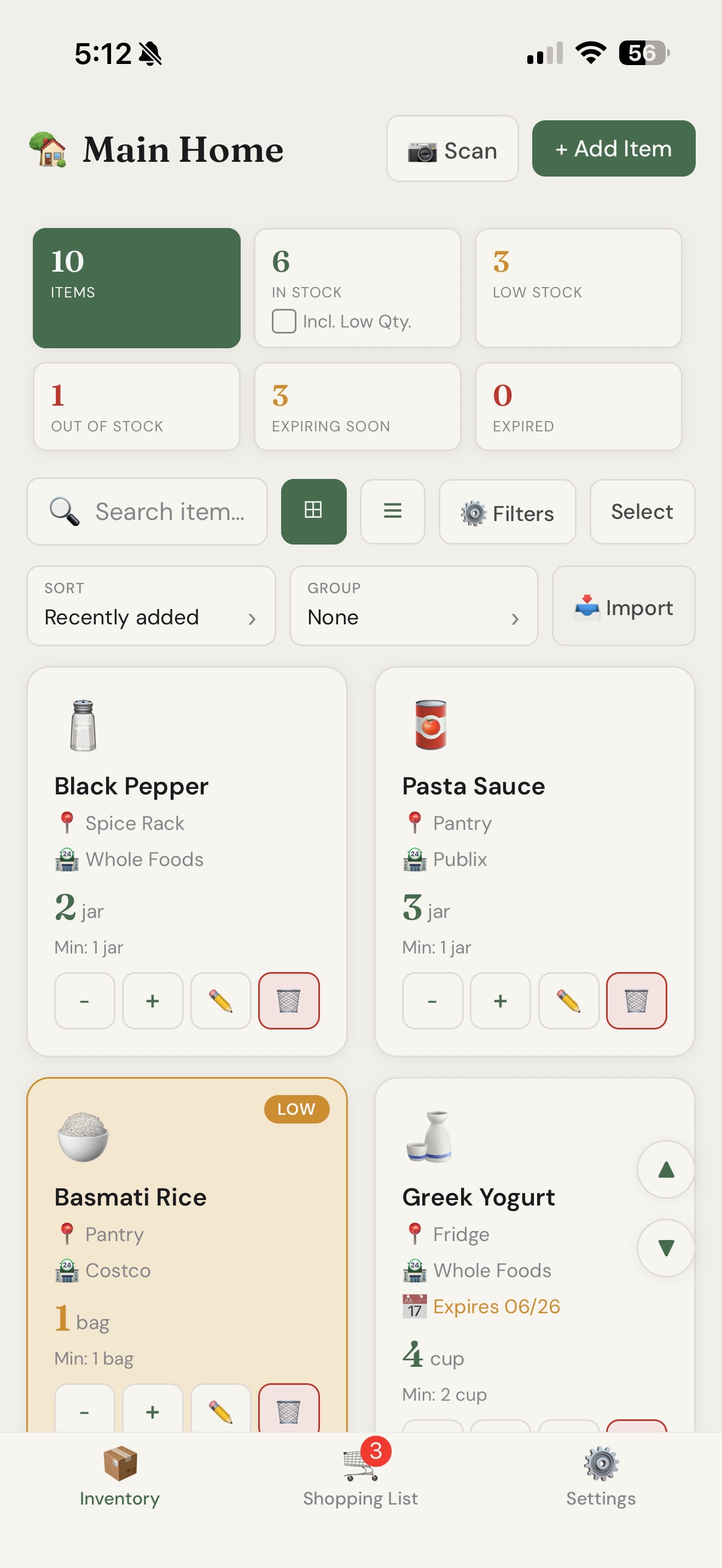
Track every shelf, not just a list
See everything you have, organized by where it lives — Pantry, Fridge, Freezer, wherever. Cloud Pantry flags what's running low, what's out, and what's about to expire, so nothing gets forgotten at the back of a cupboard.
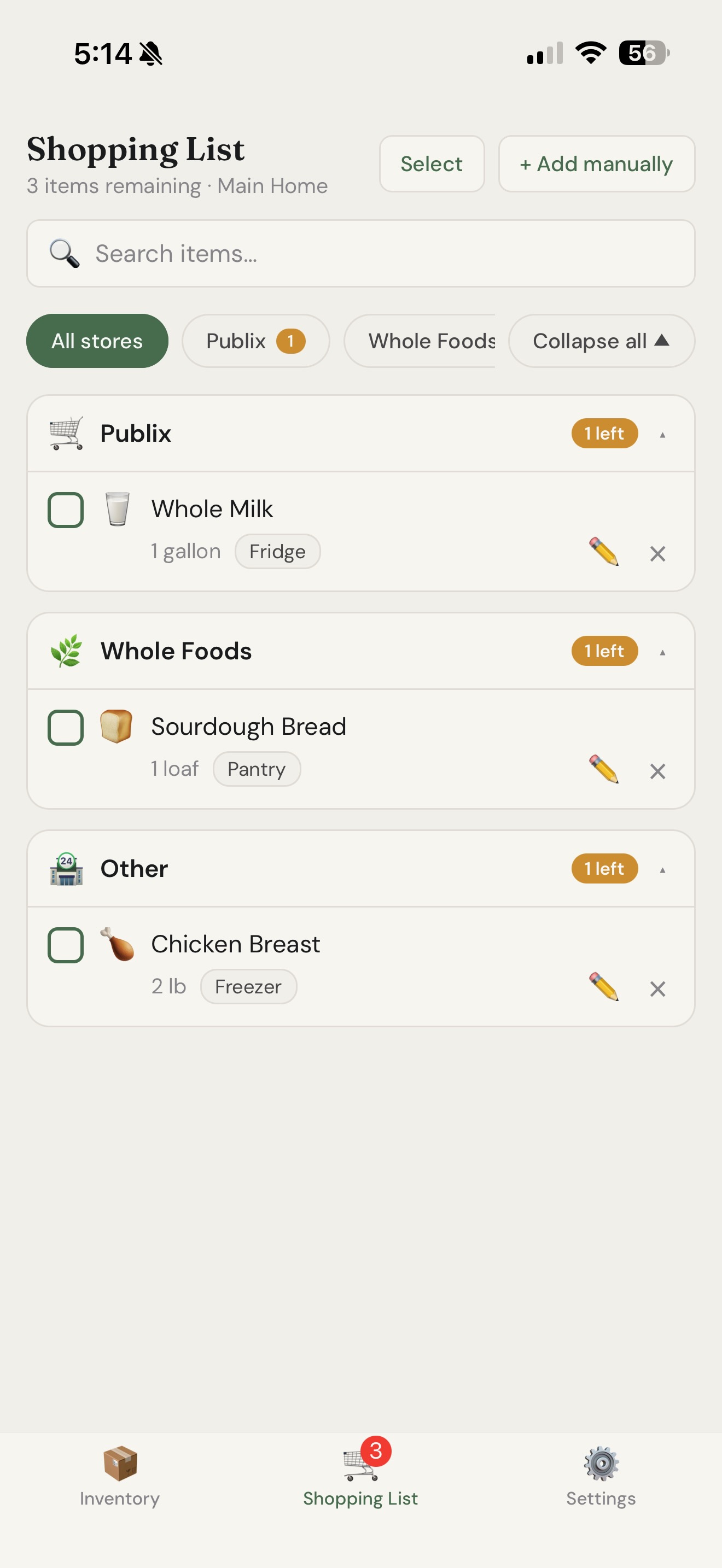
A shopping list that writes itself
When something runs low, it lands on your shopping list automatically — already sorted by the store you buy it from. Walk into Costco and see only your Costco items; same for Publix or Whole Foods.
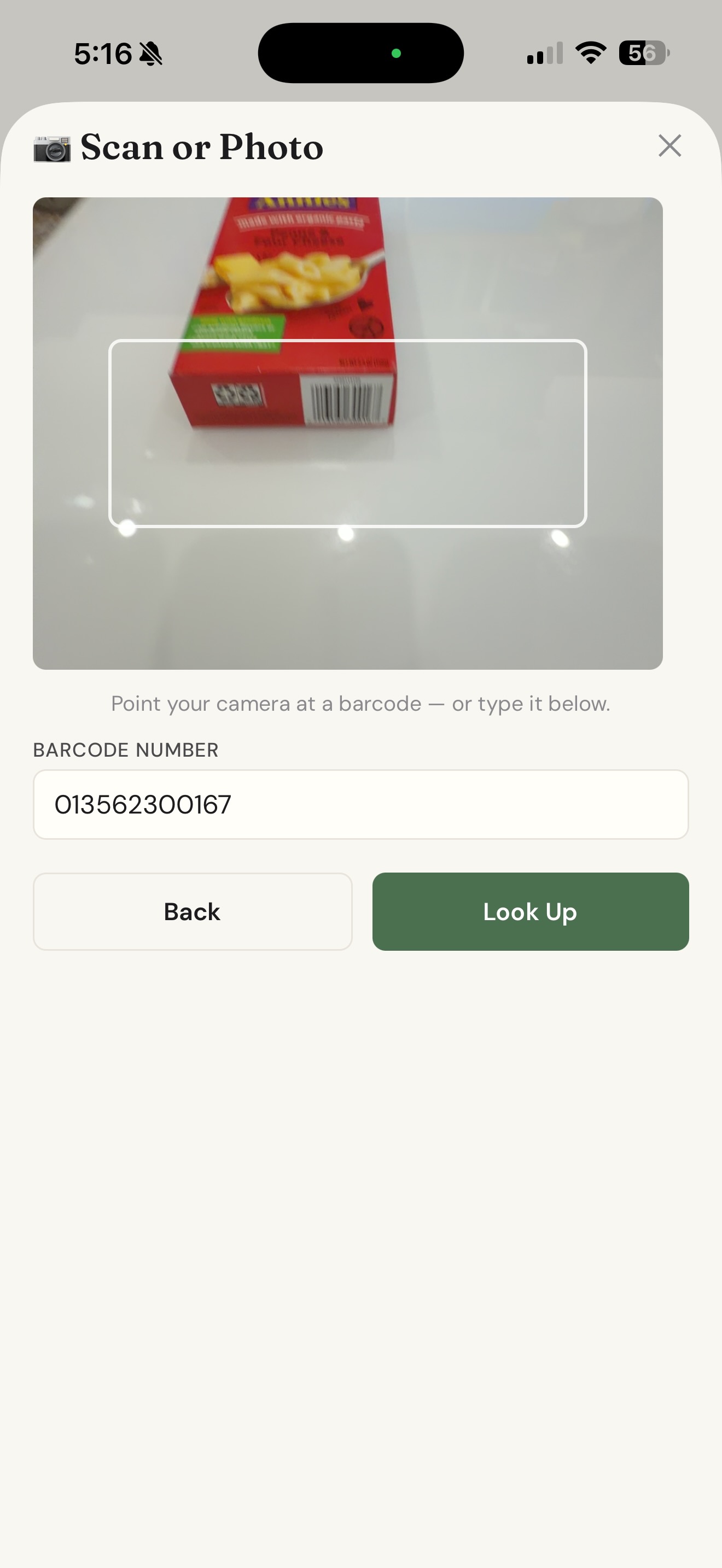
Add items in seconds
Scan a barcode to pull product details from a free food database, or snap a photo and let AI identify the item and fill in the details. No typing required.
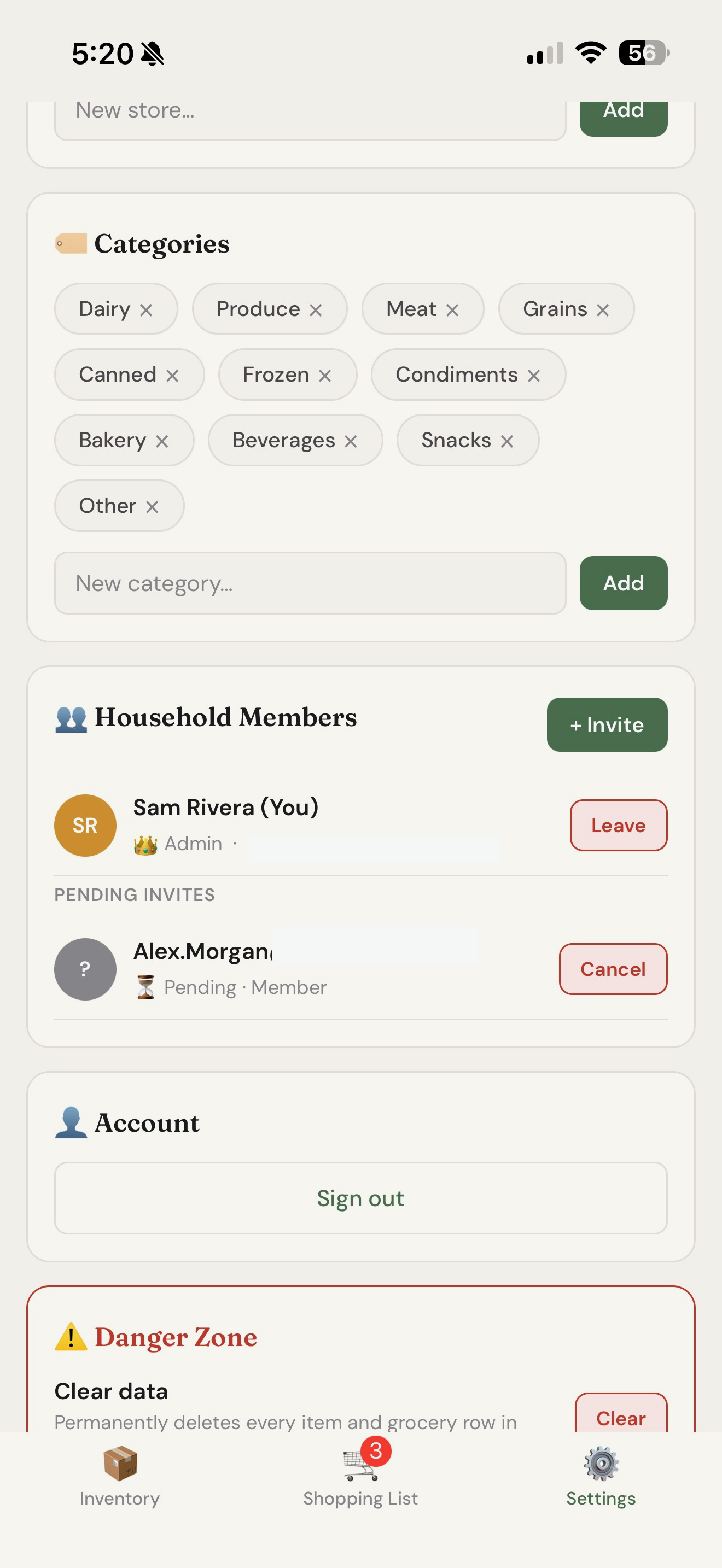
Share it with your whole household
Invite the people you live with so everyone sees the same pantry. Add to the list, check things off at the store, update what's in stock — it all stays in sync.
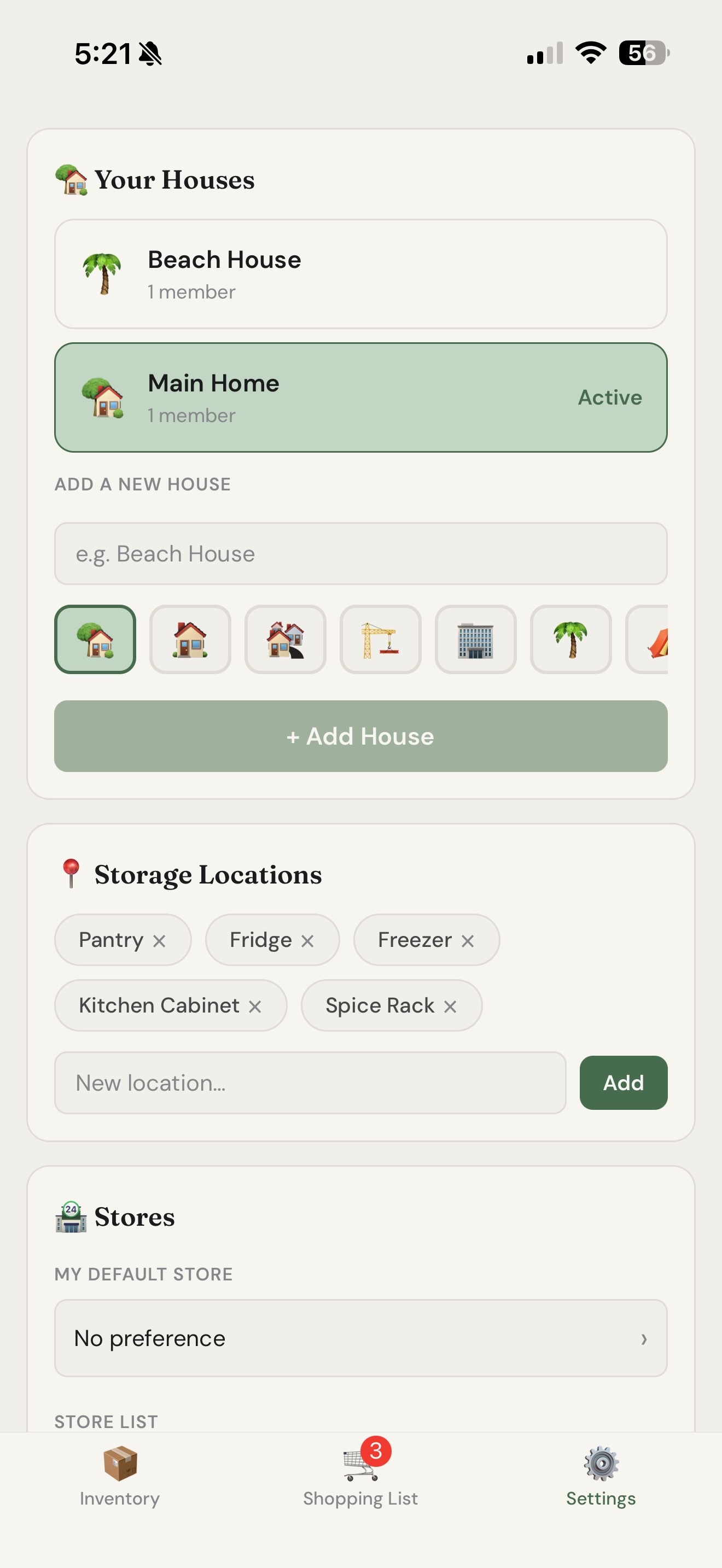
Keep more than one home
Main home, beach house, a parents' place you help stock — keep a separate pantry for each and switch between them in a tap.
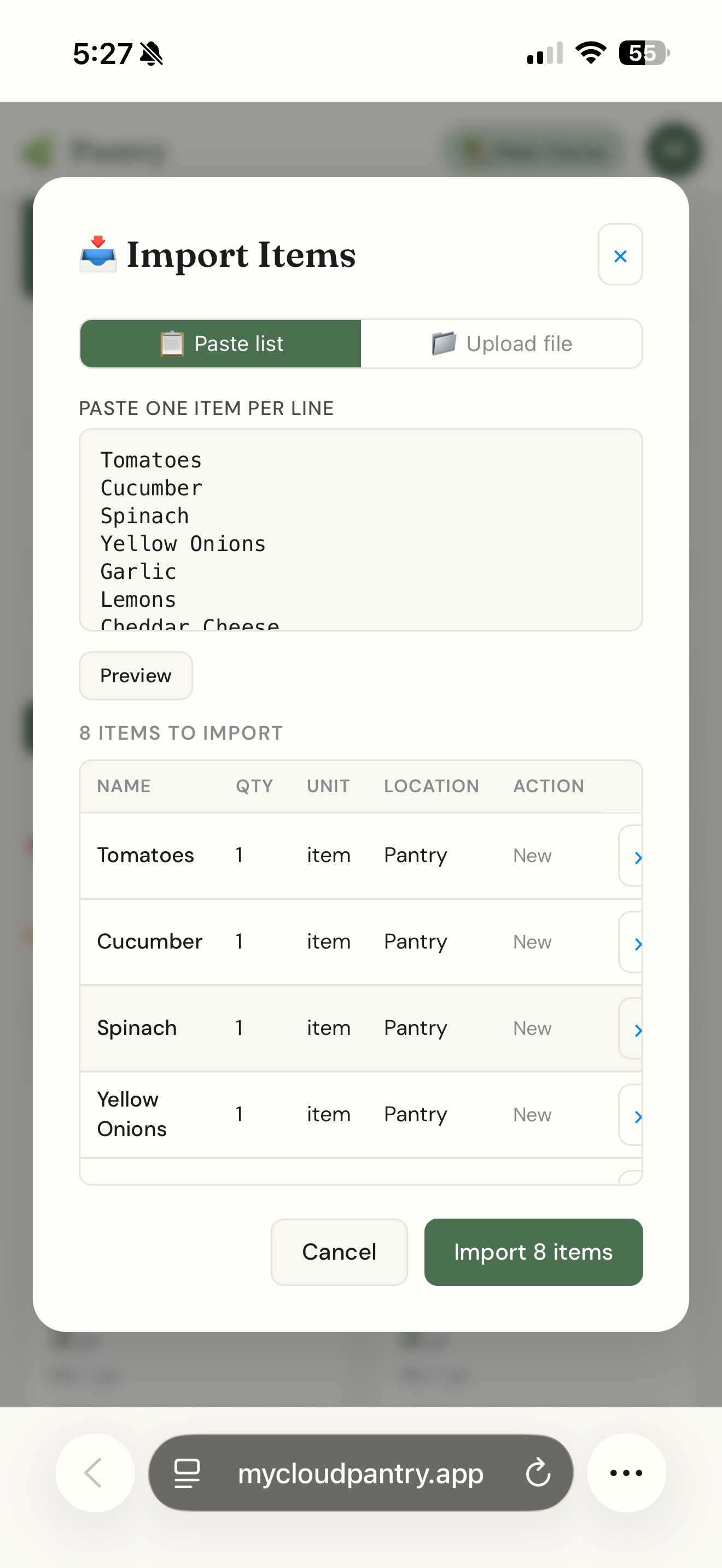
Bring your existing list in one paste
Already keep a list somewhere? Paste it in, review what'll be added, and import the whole thing at once.
On the web appNever let food quietly expire
Cloud Pantry watches expiry dates and emails you a reminder as items get close — plus a weekly summary of what's expiring, low, or out, so your next shop is half-planned before you even open the app.